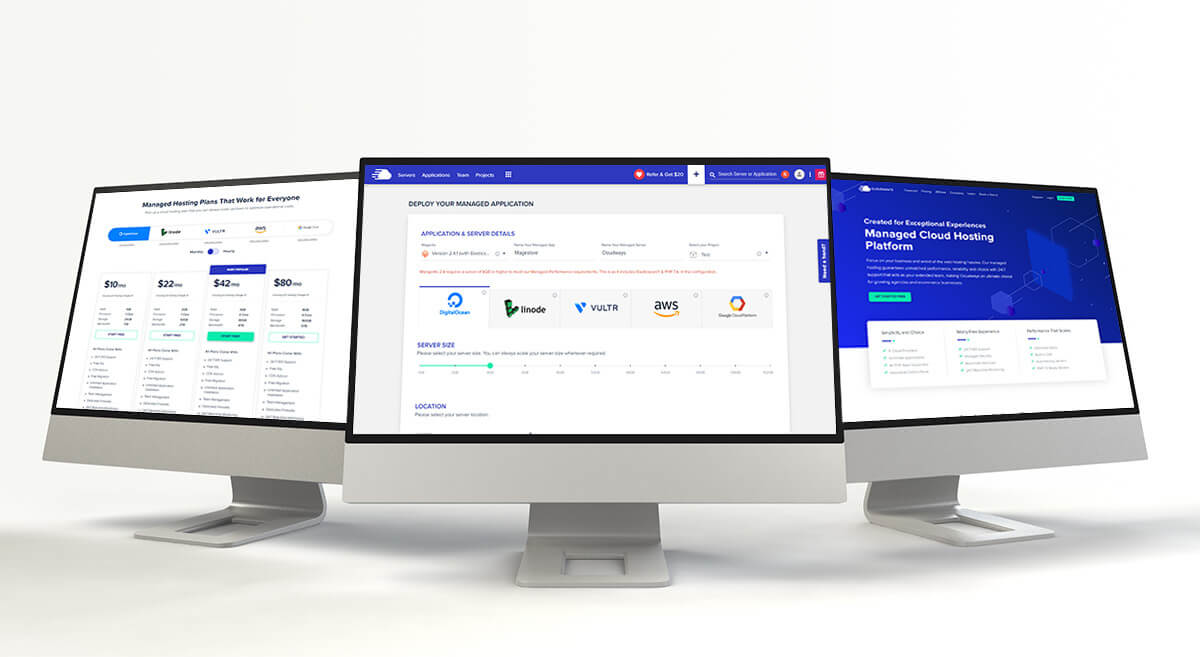

Short answer: Cloudways is a managed cloud platform for people who want more control over server resources than shared hosting provides without managing the server entirely themselves. It can suit growing WordPress and WooCommerce sites, but its provider choices, usage-based billing, add-ons and dashboard make it more involved than beginner shared hosting. It is not automatically the cheapest option.
This review summarizes Cloudways’ current official product and support information checked on October 15, 2026. We have not run independent performance benchmarks or personally tested a paid Cloudways account, so performance claims below are not presented as test results.
What Cloudways is
Cloudways is a managed hosting layer for cloud infrastructure. Its current product lineup separates Cloudways Flexible, where customers choose a cloud provider and server configuration, from Cloudways Autonomous, its managed autoscaling WordPress offer. Available infrastructure and features depend on product, provider, region and plan. Check the live plan selector before buying.
It differs from typical shared hosting: you choose server resources and manage applications through Cloudways’ control panel, while Cloudways handles parts of server setup, maintenance and support. It does not replace every hosting task; domain registration and professional email, for example, may need separate services.
Cloudways pricing: how to compare the real cost
There is no single universal “starting price” that applies to every Cloudways setup. Flexible pricing varies by provider, server size and location; Autonomous uses per-application pricing with usage and autoscaling rules. Billing is calculated hourly and invoiced monthly, but the way charges accrue differs by product. Taxes, optional add-ons, bandwidth or usage overages can affect the total.
Before choosing a server, compare the complete monthly estimate for your region and workload, then check the current billing documentation. Do not compare a promotional entry server with a managed plan at another host without accounting for renewals, resource limits, backups and support.
View current Cloudways plans and pricing · Cloudways billing guide
Features that matter for a WordPress site
- Provider and resource choice: Flexible lets you select from supported infrastructure options and configure server resources. More choice can help when you need to tune capacity, but it also means you must understand the resource and cost trade-offs.
- Backups and restore: Cloudways documents automated backup and restore tools. Review the available schedule, retention and charges for your selected plan, and keep an independent backup for important sites.
- Staging: A staging environment lets you test updates away from the live site. Check the exact workflow and any limits for your application before relying on it.
- Security and monitoring: The platform documents server security controls, patching and monitoring. Hosting controls do not remove the need to keep WordPress, themes and plugins maintained and to use strong account security.
- Scaling: Flexible server resources can be adjusted, while Autonomous is designed to autoscale WordPress applications. Scaling behavior, supported changes and charges differ, so review the chosen product’s documentation before an expected traffic spike.
- Migration: Cloudways offers migration tools and services, but eligibility and included migration terms can change. For a WordPress move, compare the official tool with our WordPress migration plugins and transfer guide.
Is Cloudways suitable for ecommerce?
Cloudways can be considered for WooCommerce or other PHP-based stores when the owner needs more server control or capacity than a basic shared plan offers. That does not guarantee faster checkout or better uptime: results depend on the application, theme, plugins, database, caching, traffic pattern and configuration. A store owner should test a representative staging setup and calculate the expected total before migration.
For a narrower discussion of store requirements, see our Cloudways for ecommerce overview. If you are comparing entry-level hosting providers, also see our Bluehost vs Hostinger comparison.
Pros and limitations
| Potential advantages | Trade-offs to consider |
|---|---|
| Managed layer over multiple cloud infrastructure choices | More choices and settings than a simple shared-hosting account |
| Documented backup, staging, monitoring and scaling tools | Feature availability and billing can vary by product/provider |
| Can scale beyond a fixed shared plan | Costs can rise with server size, usage and add-ons |
| Migration tools can help move WordPress applications | Domain, email and some application work may remain separate |
| Useful for teams comfortable with hosting concepts | Not the easiest fit for someone who wants one fixed-price, beginner plan |
Who should consider Cloudways?
Consider it if you manage a growing WordPress site, WooCommerce store or several client applications, understand the need to size and monitor a server, and value managed cloud controls. Compare Flexible and Autonomous against your technical comfort and workload.
Look elsewhere or get help first if you need the lowest predictable introductory price, want domain and email bundled, have a small site with modest needs, or are not comfortable making hosting decisions. A well-supported shared WordPress plan may be simpler.
Frequently asked questions
How much does Cloudways cost?
The cost depends on product, provider, server resources, region, usage and add-ons. Use the live pricing selector and estimate the expected monthly total; older fixed-price tables can quickly become inaccurate.
Does Cloudways include backups and staging?
Cloudways documents backup and staging features, but settings and limits can depend on product and configuration. Confirm schedule, retention and any related charge in the current documentation.
Can I migrate a WordPress site to Cloudways?
Cloudways provides migration options, including tools for WordPress. Confirm the current eligibility and support terms for your account. Back up the source site and test the migrated copy before changing DNS.
Is Cloudways a good choice for an online store?
It may fit a store that needs managed cloud resources and has someone able to configure and monitor it. Hosting alone cannot guarantee store speed or sales; test the full store and compare the total operating cost.
Our view
Cloudways is best treated as a flexible managed-cloud option rather than a universal “best host.” Its strongest fit is a site or team that benefits from configurable infrastructure and can evaluate the resulting cost and maintenance needs. For a small, straightforward site, simpler hosting may be a better-value starting point. Check current Cloudways pricing and feature terms before purchasing because offers and plan details change.